Welcome to our forum, @Liang_Chen! I’ve recorded your +1 for the option to open PDFs with Google Scholar PDF reader for the team to consider in the future.
In the meantime, in the left sidebar of Paperpile’s PDF viewer, you can click the outline button to show the PDF’s table of contents, if one is available. See View and navigate PDFs | Paperpile Help Center for more details on navigating PDFs.
Just to make sure I understand correctly the second item in your list, are you looking for the PDF viewer to automatically detect references within the paper and allow you to open the matching Paperpile reference with a single click or right-click, or something else?
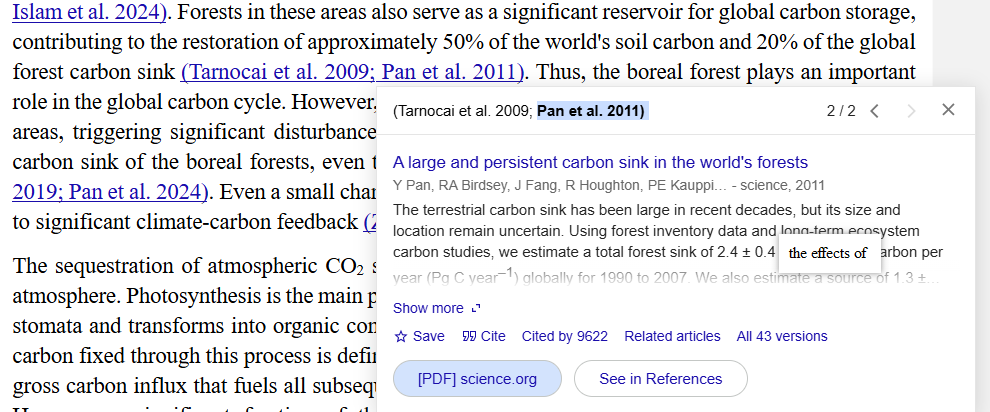
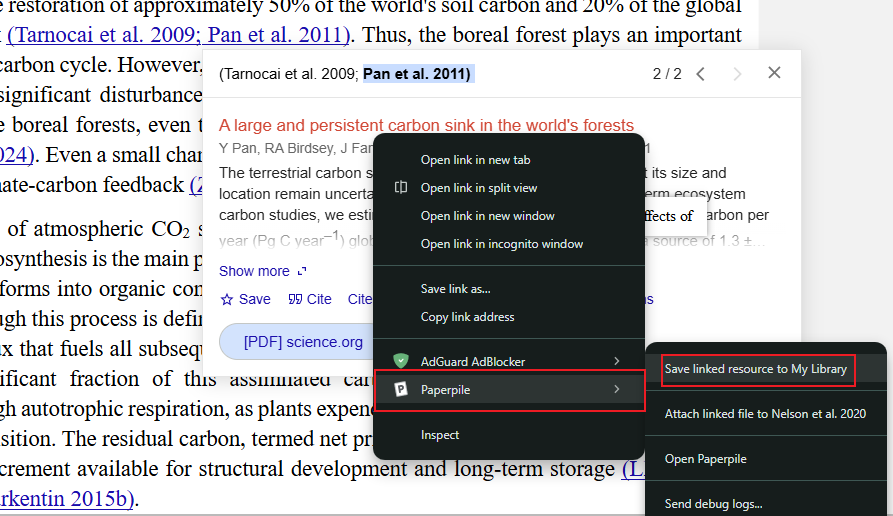
Yes, with the Google Scholar PDF reader, the reference/citation can be automatically detected, and when you hover the citation, it will show the link to the Google Scholar database, and you can right-click to load the reference into the Paperpile database. Let me find a screenshot:
Thank you for sharing the screenshots; your requests to show the reference on hovering over the citation in the text and to have the ability to save references to your library directly from citations in PDFs make sense now. I’ve recorded your feedback for the team’s consideration.
Would like to support Liang’s proposal. It would be an incredibly helpful addition to have both, but for the start the Hover-to-view references (preferably linkable, so they can be open in a new window to check (Google Scholar or if we have them already in Paperpile). This would save a lot of hustle going back-and-forth between text and final block with references. Thank you!
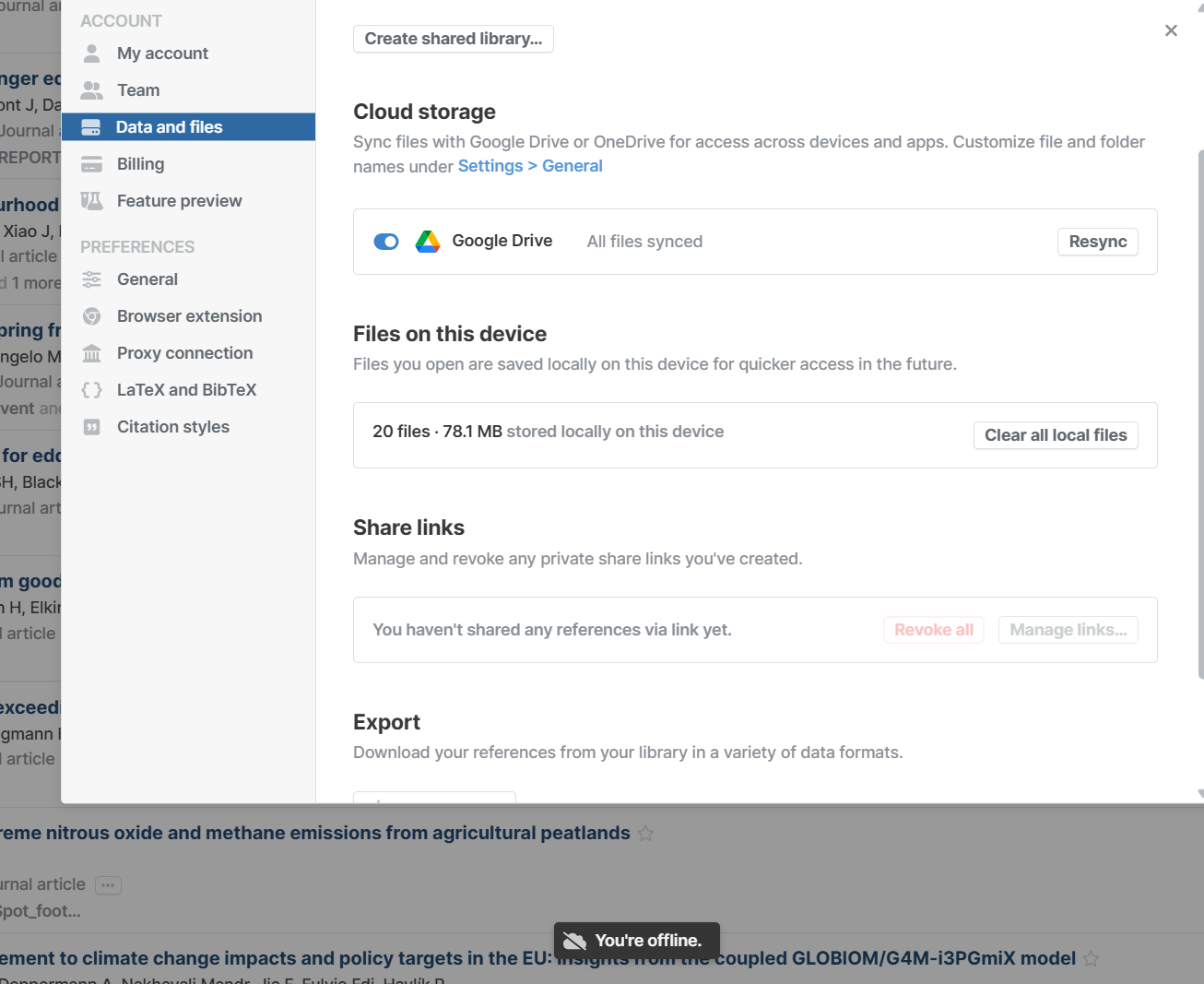
i realized that the synchronous with google drive is alway delay and showed as “you are offline“. So, everytime i need to turn off synchronous and then turnon it in setting. Such delay is bit inconvenice to communite for example with NotebookLM.
Thank you for letting us know, @Liang_Chen. To help our team investigate the issue, can you share a screenshot of the “You are offline” message that you see?
I would like to add +1 for the google scholar option! Right now, I can’t even figure out a way to re-open a pdf from Paperpile in Google Scholar at all without re-downloading the pdf from the original website
Welcome to our forum, @jmain, and thank you for adding your +1 to this topic.
It’s not currently possible to open a PDF saved in your Paperpile library with the Google Scholar PDF reader. But once you have saved a PDF to Paperpile, you can open it directly from your Paperpile library with Paperpile’s in-built PDF viewer. Just click the PDF button in the bottom right to open the PDF of a reference in a separate tab:
And if you have already saved the PDF to Paperpile, from Google Scholar you can also view the PDF directly. Just click PDF in the Paperpile button next to a reference in the Google Scholar search results to view it: