Hi all - I’m reading through previous threads and I see that an integration with Consensus exists, but I cannot for my life figure out how to get the Paperpile button to show up in Consensus. I am in chrome and have the Paperpile extension installed. I’ve looked in both the Consensus and Paperpile settings and don’t see a specific place to mark them as integrated - maybe I’m missing something? Thanks for the help!
Welcome to our forum, @Kate_Grandbois. Here’s how to set up the Consensus integration in Paperpile:
- In the Paperpile web app, click your profile picture in the top right and go to Settings > Browser extension.
- In the Website and database integrations dropdown, find Consensus and make sure it’s checked.
- Now when you search on consensus.app, you should see Paperpile buttons next to each result, letting you add papers directly to your library with one click:
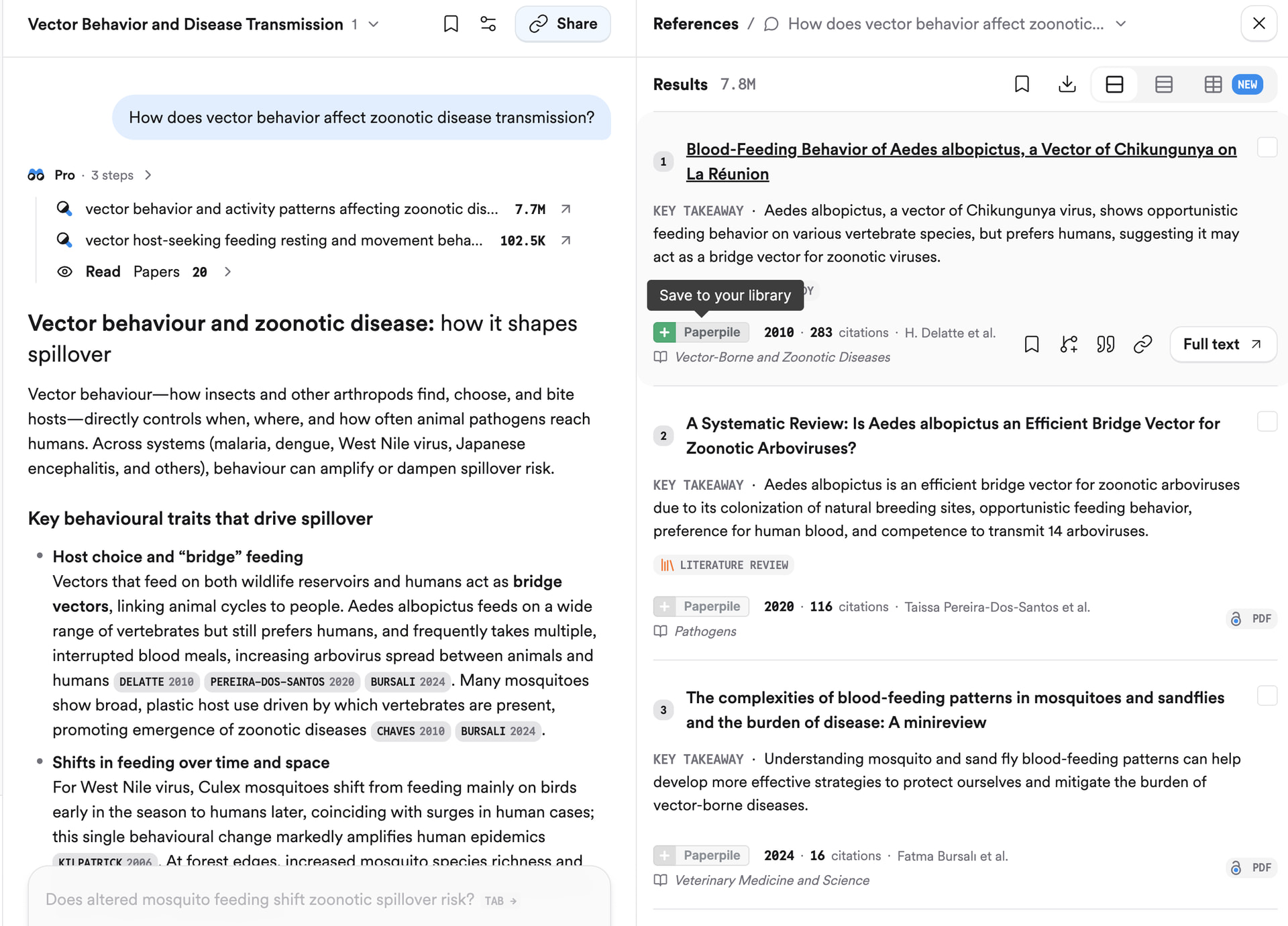
If the buttons don’t appear on Consensus after enabling the integration, try restarting your browser: this reloads the extension and should pick up the new setting. (In Chrome, you can type chrome://restart in the address bar and the browser will restart and reopen all your tabs of the current profile.)
For more details, see:
- Browser extension settings: Browser extension settings | Paperpile Help Center
- Save with the Paperpile button: Save from supported databases and websites with the Paperpile buttons | Paperpile Help Center
Let me know if you run into any issues.
Thank you so much! It worked! Going to save me a lot of time… thanks again!
1 Like
Hello, the Paperpile button is now showing up in Consensus - however when I click it it does not add the paper to my library - instead it toggles over to the “Overview” tab for that paper in Consensus. Any suggestions?
Thank you for reporting, @Kate_Grandbois. We’ve reproduced the issue and our team will include a fix for this in the next extension update. I will let you know here once the fix is available.
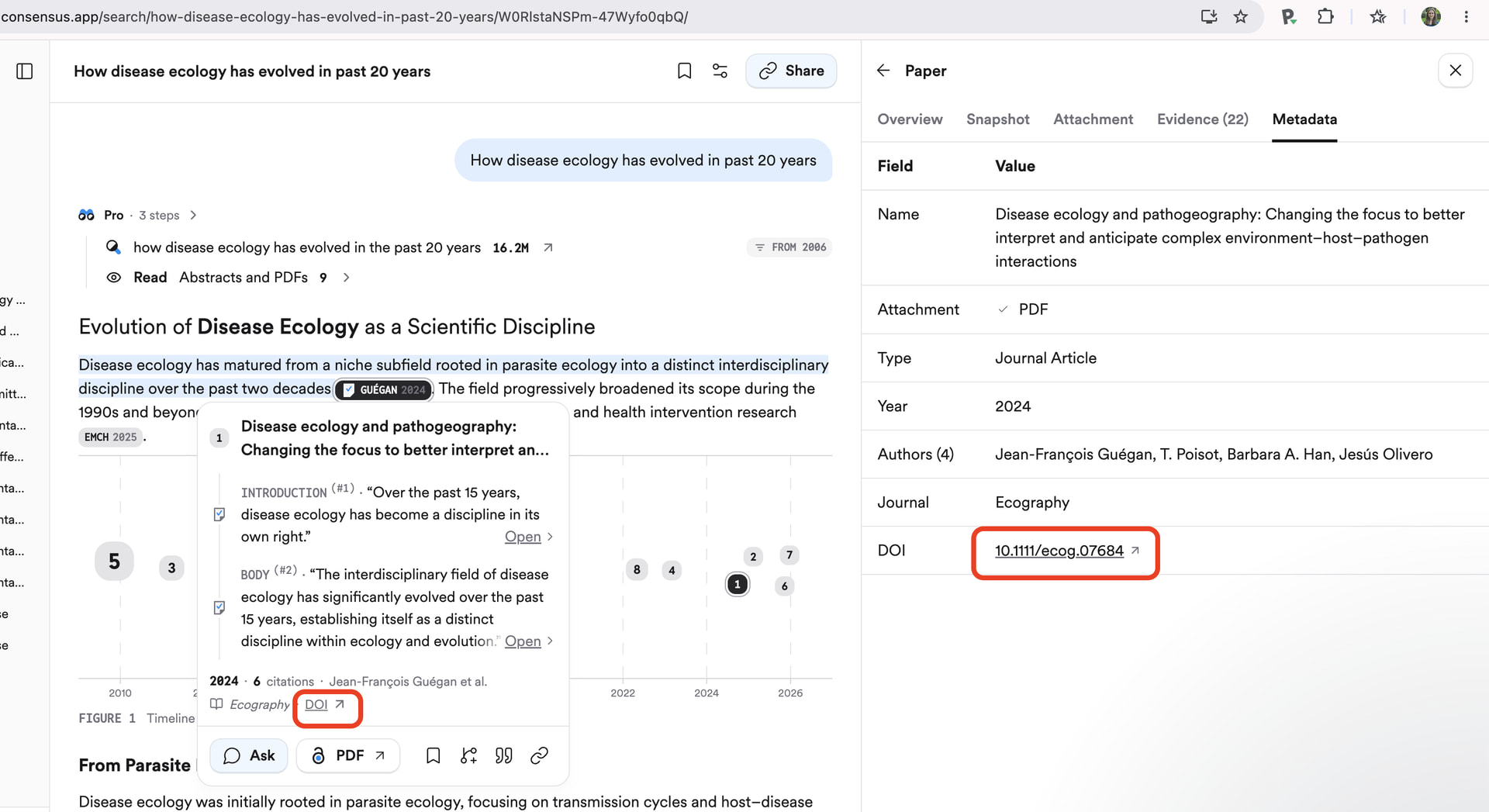
In the meantime, here is a workaround to save papers you find in Consensus to your library: under the metadata tab in Consensus, click on the DOI. This will take you to the paper on the publisher’s website, where you can save it to Paperpile using the Paperpile button in your browser toolbar. The citation links in the text also have a DOI link to the publisher website, see my screenshot.
Thank you - please keep me posted!
Our team released a fix for the Consensus integration today as part of the latest Chrome extension update, @Kate_Grandbois.
Please restart your browser (in Chrome, you can type chrome://restart in the address bar and the browser will restart and reopen all your tabs of the current profile).
Then go to chrome://extensions and check if 1.5.1146 is installed. Click on a Paperpile button in Consensus and let us know if the issue persists.
1 Like
Thank you - it seems to be working! Oddly the Paperpile button seems to be showing up twice? but it works!
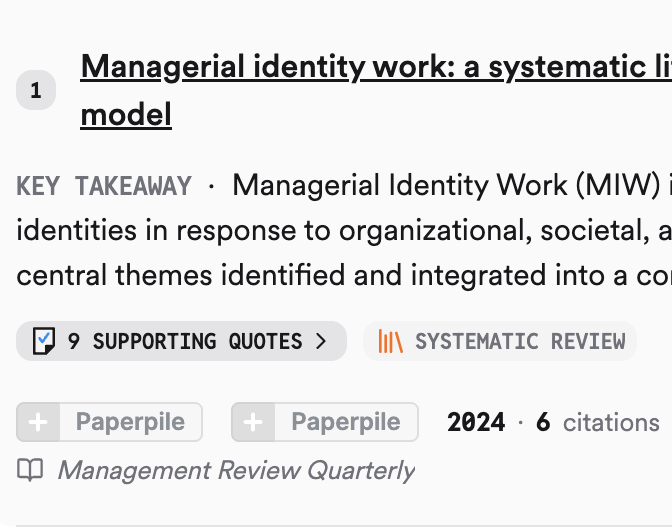
Thanks for reporting, @Kate_Grandbois. Can you try refreshing the Consensus tab and letting me know if the two buttons continue to appear after that?