Hey! Thank you so much for this beautiful app. It’s been a lifesaver and I use it daily.
I was wondering if there’s a way to filter by papers with annotations or comments, or if there’s an easy way to see if a paper is annotated. It would be an easy way to check if something is read or not. Currently, I have a manual tag for “read” and “reading” but sometimes I forget, and having to click into pdfs to see if I have read them gets a little tedious.
Welcome to the Paperpile community, @antigone, and thank you for being a loyal user of Paperpile! We’re happy you find the app helpful for your work.
At the moment, our filter menu does keep track of papers with notes. If you add a note by clicking the speech bubble under a reference in your library, you can then use the Has note filter to quickly find those papers.
We don’t yet have a dedicated filter for annotated PDFs, so that distinction isn’t automatic. A partial workaround would be to create an “Annotated” label and add it to PDFs after you’ve annotated them, so you can easily find them later.
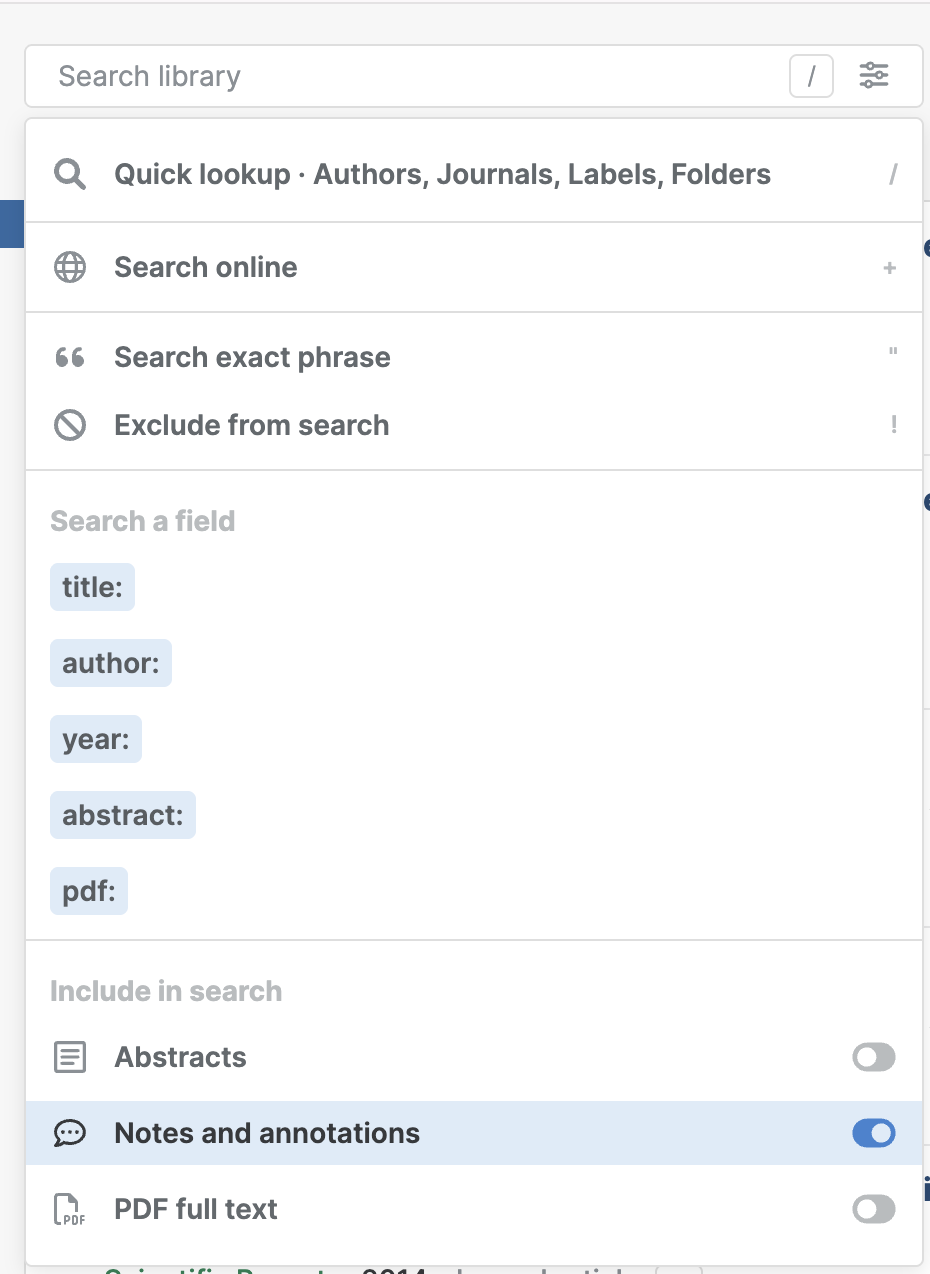
Another tip: you can also include notes and annotations in your search results, which might help surface some of the papers you’ve already read or interacted with. In the library search box, click the slider button to show all advanced search options: