I create a label and now I cannot edit it so I want to delete it
Welcome to our forum, @Monirah_A_O_F_Alraba! In the left sidebar go to the Labels section, and find the label you want to delete. Click its three-dot menu, and select Delete. This deletes the label itself but does not delete any references.
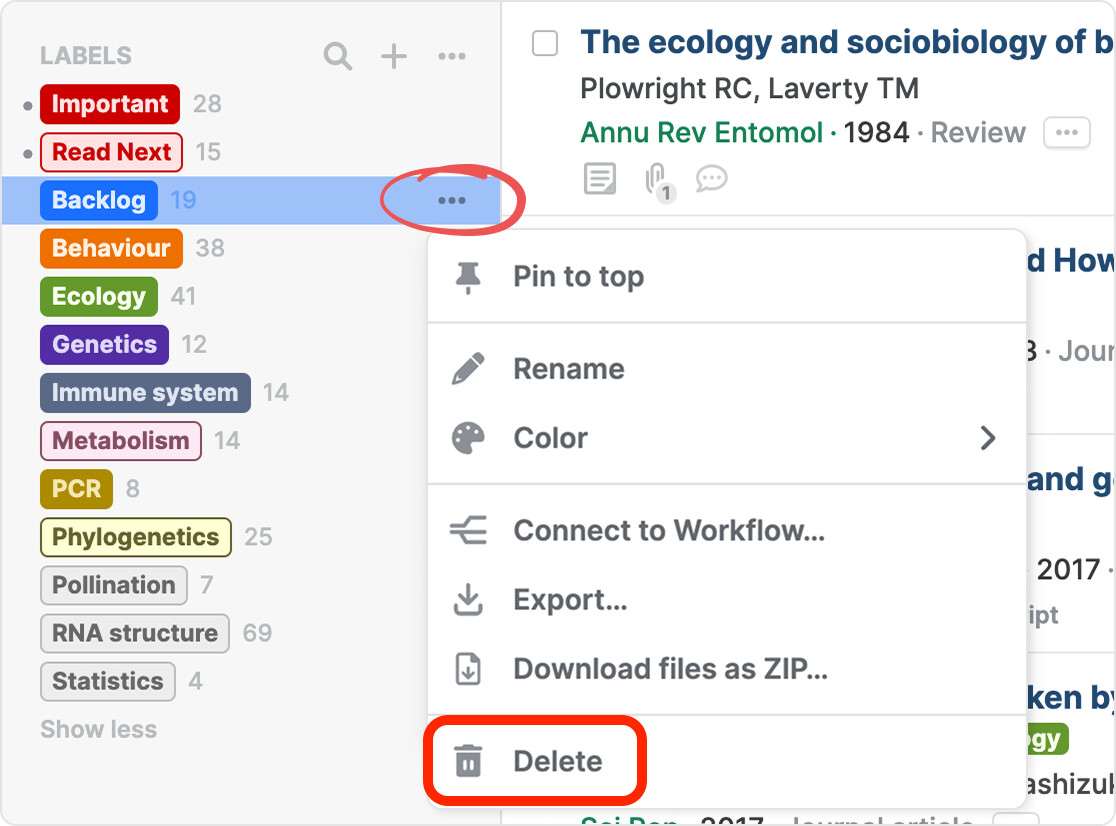
In the same menu, you can also rename the label. See our labels help page for more details: Organize your library with labels | Paperpile Help Center
Finally, if you want to delete, rename, or merge multiple labels, you can manage labels in batches. From the three-dot menu next to the Labels header, select Manage labels to open the bulk label management dialog.