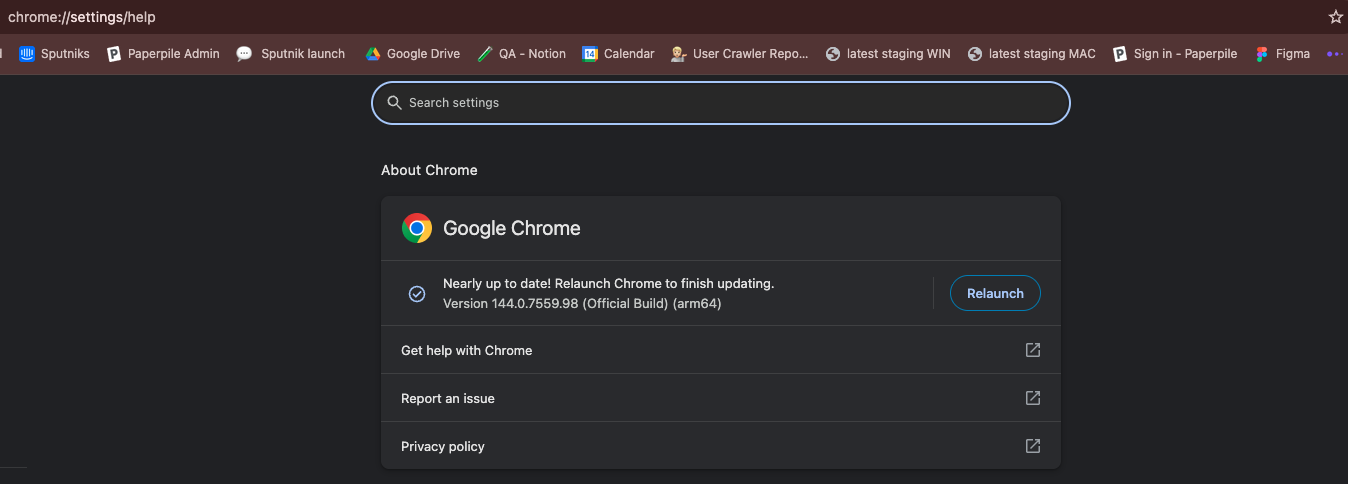
Paperpile Version 1.5.989 does not load in Google Chrome.
A few hours ago yesterday, I was happily using it just fine.
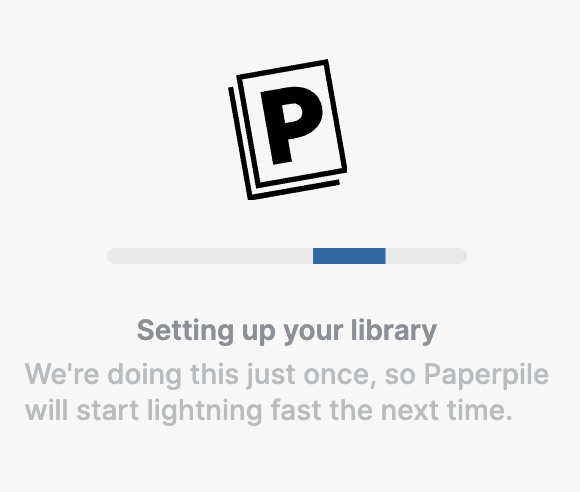
Now, this is what I see:
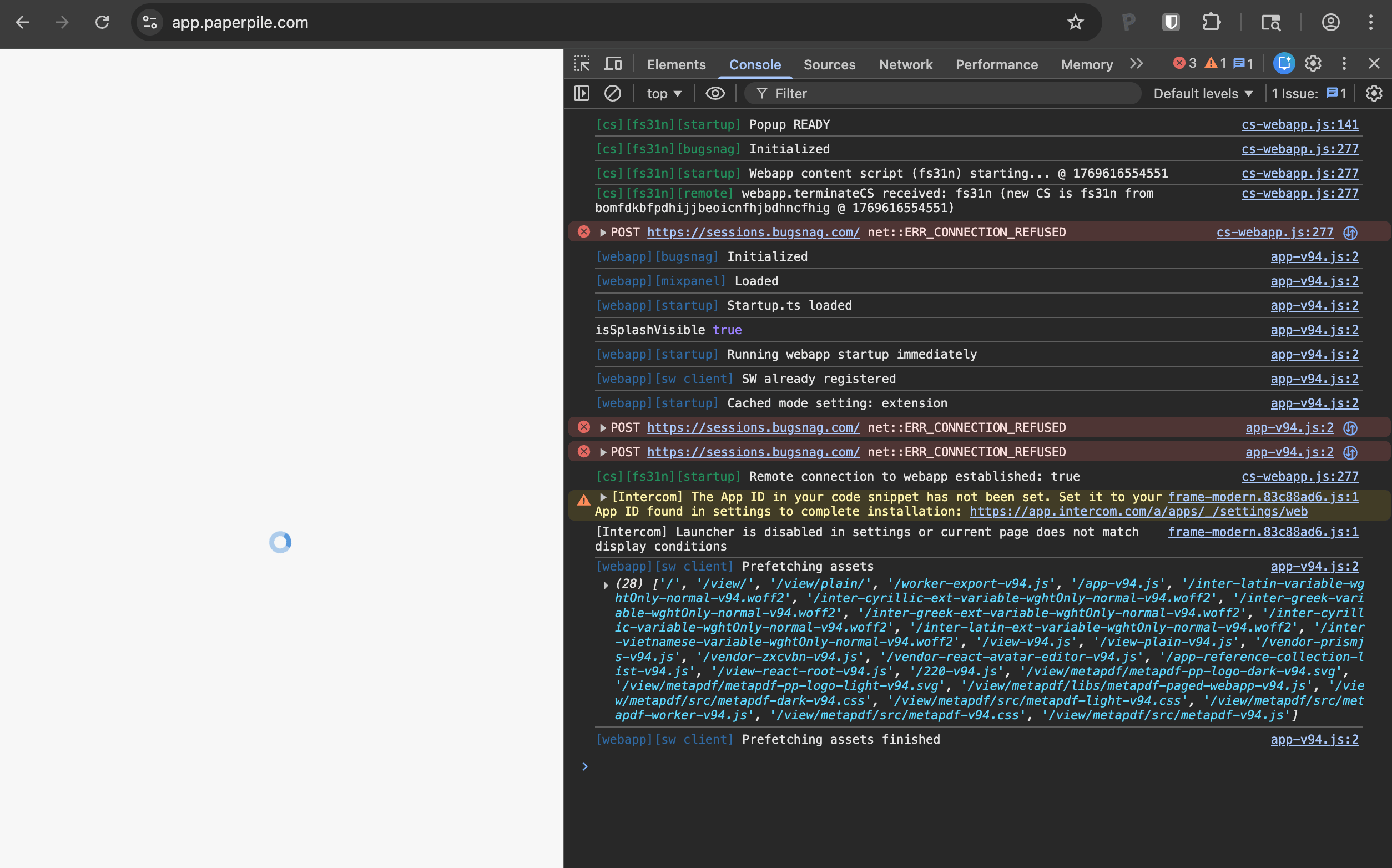
Instead of showing my library, I see a spinner that never stops spinning.
Here is the console log:
cs-webapp.js:141 [cs][fs31n][startup] Popup READY
cs-webapp.js:277 [cs][fs31n][bugsnag] Initialized
cs-webapp.js:277 [cs][fs31n][startup] Webapp content script (fs31n) starting... @ 1769616554551
cs-webapp.js:277 [cs][fs31n][remote] webapp.terminateCS received: fs31n (new CS is fs31n from bomfdkbfpdhijjbeoicnfhjbdhncfhig @ 1769616554551)
cs-webapp.js:277  POST https://sessions.bugsnag.com/ net::ERR_CONNECTION_REFUSED
sendSession @ cs-webapp.js:277
startSession @ cs-webapp.js:277
o.startSession @ cs-webapp.js:277
createClient @ cs-webapp.js:277
start @ cs-webapp.js:277
initialize @ cs-webapp.js:383
t.default @ cs-webapp.js:141
52197 @ cs-webapp.js:383
a @ cs-webapp.js:1262
27306 @ cs-webapp.js:141
a @ cs-webapp.js:1262
(anonymous) @ cs-webapp.js:1262
(anonymous) @ cs-webapp.js:1262
(anonymous) @ cs-webapp.js:1262
(anonymous) @ cs-webapp.js:1262
app-v94.js:2 [webapp][bugsnag] Initialized
app-v94.js:2 [webapp][mixpanel] Loaded
app-v94.js:2 [webapp][startup] Startup.ts loaded
app-v94.js:2 isSplashVisible true
app-v94.js:2 [webapp][startup] Running webapp startup immediately
app-v94.js:2 [webapp][sw client] SW already registered
app-v94.js:2 [webapp][startup] Cached mode setting: extension
app-v94.js:2  POST https://sessions.bugsnag.com/ net::ERR_CONNECTION_REFUSED
sendSession @ app-v94.js:2
startSession @ app-v94.js:2
o.startSession @ app-v94.js:2
createClient @ app-v94.js:2
start @ app-v94.js:2
69995 @ app-v94.js:57
a @ app-v94.js:61
(anonymous) @ app-v94.js:61
(anonymous) @ app-v94.js:1222
(anonymous) @ app-v94.js:1222
app-v94.js:2  POST https://sessions.bugsnag.com/ net::ERR_CONNECTION_REFUSED
sendSession @ app-v94.js:2
startSession @ app-v94.js:2
o.startSession @ app-v94.js:2
t.<computed> @ app-v94.js:2
(anonymous) @ app-v94.js:2
29975 @ app-v94.js:2
a @ app-v94.js:61
16403 @ app-v94.js:2
a @ app-v94.js:61
98663 @ app-v94.js:61
a @ app-v94.js:61
84279 @ app-v94.js:61
a @ app-v94.js:61
4008 @ app-v94.js:2
a @ app-v94.js:61
60771 @ app-v94.js:57
a @ app-v94.js:61
52197 @ app-v94.js:57
a @ app-v94.js:61
54123 @ app-v94.js:57
a @ app-v94.js:61
23629 @ app-v94.js:2
a @ app-v94.js:61
35967 @ app-v94.js:2
a @ app-v94.js:61
12177 @ app-v94.js:2
a @ app-v94.js:61
(anonymous) @ app-v94.js:61
(anonymous) @ app-v94.js:1222
(anonymous) @ app-v94.js:1222
cs-webapp.js:277 [cs][fs31n][startup] Remote connection to webapp established: true
frame-modern.83c88ad6.js:1 [Intercom] The App ID in your code snippet has not been set. Set it to your App ID found in settings to complete installation: https://app.intercom.com/a/apps/_/settings/web
i @ frame-modern.83c88ad6.js:1
n @ frame-modern.83c88ad6.js:1
boot @ frame-modern.83c88ad6.js:1
(anonymous) @ frame-modern.83c88ad6.js:1
40901 @ frame-modern.83c88ad6.js:1
a @ frame-modern.83c88ad6.js:1
31913 @ frame-modern.83c88ad6.js:1
a @ frame-modern.83c88ad6.js:1
(anonymous) @ frame-modern.83c88ad6.js:1
a.O @ frame-modern.83c88ad6.js:1
t @ frame-modern.83c88ad6.js:1
(anonymous) @ vendor-modern.2745a323.js:2
PendingScript
R @ 2b2d31bf853f87a78875ebf0322d22a860423abf:1
j @ 2b2d31bf853f87a78875ebf0322d22a860423abf:1
(anonymous) @ 2b2d31bf853f87a78875ebf0322d22a860423abf:1
(anonymous) @ 2b2d31bf853f87a78875ebf0322d22a860423abf:1
(anonymous) @ 2b2d31bf853f87a78875ebf0322d22a860423abf:1
PendingScript
(anonymous) @ app-v94.js:61
o.__trace__ @ app-v94.js:2
setTimeout
(anonymous) @ app-v94.js:2
a @ app-v94.js:61
o.__trace__ @ app-v94.js:2
frame-modern.83c88ad6.js:1 [Intercom] Launcher is disabled in settings or current page does not match display conditions
app-v94.js:2 [webapp][sw client] Prefetching assets (28) ['/', '/view/', '/view/plain/', '/worker-export-v94.js', '/app-v94.js', '/inter-latin-variable-wghtOnly-normal-v94.woff2', '/inter-cyrillic-ext-variable-wghtOnly-normal-v94.woff2', '/inter-greek-variable-wghtOnly-normal-v94.woff2', '/inter-greek-ext-variable-wghtOnly-normal-v94.woff2', '/inter-cyrillic-variable-wghtOnly-normal-v94.woff2', '/inter-latin-ext-variable-wghtOnly-normal-v94.woff2', '/inter-vietnamese-variable-wghtOnly-normal-v94.woff2', '/view-v94.js', '/view-plain-v94.js', '/vendor-prismjs-v94.js', '/vendor-zxcvbn-v94.js', '/vendor-react-avatar-editor-v94.js', '/app-reference-collection-list-v94.js', '/view-react-root-v94.js', '/220-v94.js', '/view/metapdf/metapdf-pp-logo-dark-v94.svg', '/view/metapdf/metapdf-pp-logo-light-v94.svg', '/view/metapdf/libs/metapdf-paged-webapp-v94.js', '/view/metapdf/src/metapdf-dark-v94.css', '/view/metapdf/src/metapdf-light-v94.css', '/view/metapdf/src/metapdf-worker-v94.js', '/view/metapdf/src/metapdf-v94.css', '/view/metapdf/src/metapdf-v94.js']
app-v94.js:2 [webapp][sw client] Prefetching assets finished