Hi,
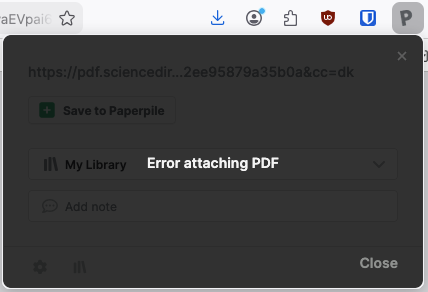
I’ve been using the Firefox extension for Paperpile for a while now and it seems pretty good on reader side. I’m having some issues with associating PDFs to paper though. This happens always (afaik) on sciencedirect links. The PDF opens with Firefox’s built-in PDF viewer and I can’t get the PDF liked to the paper on Paperpile. “solve blocked CAPTCHA” can open the pdf in browser, but Paperpile extension is not able to associate the file to the paper. Alternatively, I tried the “Attach PDF to…” button on the extension, but leads to an error. Is this a known issue?
Thank you for reporting, @meono. I’m happy that the beta Firefox add-on is working well for you.
Are you on a proxy connection when you get this error? Can you share an example URL where this occurs? Any more details you can share will help our team investigate.
Ingelman, Henri, James K. Heffernan, and Kaspar Valgepea. 2025. “Adaptive Laboratory Evolution for Improving Acetogen Gas Fermentation.” Current Opinion in Biotechnology 93 (103305): 103305.
Thank you for sharing the video with us, @meono. The team has confirmed that what you observed after solving the Captcha in your video is a bug in our Firefox add-on.
In the meantime, the workaround is to download the PDF you have opened and attach it to the reference in your library by clicking the paperclip under the reference and then clicking Attach file.
Alternatively, if you come across a Solve Captcha like this again, you can use our Chrome extension: Click Solve Captcha in another browser (Chrome or another Chromium based one like MS Edge, Brave, Opera, or Vivaldi), and the PDF should attach.