Hi,
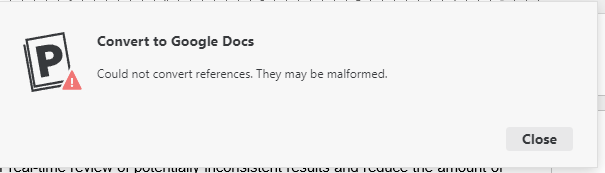
I’m trying to export from MS to Google docs and I get the following message:
“Could not convert references. They might be malformed.”
Any ideas?
Hi,
I’m trying to export from MS to Google docs and I get the following message:
“Could not convert references. They might be malformed.”
Any ideas?
Apologies for the delay here, Patrick. Is this still the case? If so, please share the document in question with us via chat or email (support@paperpile.com) if possible - we would need to take a look at the actual reference links in order to check for issues.
I have the same issue. Any thougths on how to fix it?
Welcome to our forum, @Gabriel_Moulatlet, and I’m sorry for the trouble. Are you exporting your Word document to the new Google Docs plugin (in beta) or the legacy Google Docs plugin?
Could you sign out of your Paperpile account in the Word plugin and the Paperpile web app, and of your Google account on the browser as well? To sign out of the Word plugin, in the Paperpile ribbon in Word, go to Settings and Tools > Settings (Windows) or Settings and Tools > Preferences (macOS), and sign out from there.
Then sign back in everywhere and try again. If you use other Google accounts on the browser, please sign into only the account you use for Paperpile to test.
Just in case, please also go to Settings > My account in your library and make sure that your Google account is properly connected.
If you try to convert again after that and the error persists, send us the plugin log file so the team can further investigate. The easiest way to find the log is through the Paperpile ribbon in Word > Settings and Tools > Send Debug Information. This opens a folder containing a file named paperpile-logs.txt. Please send that file to support@paperpile.com so our Word specialist can investigate.