It would be good to have an improved screenshot tool as others programs (e.g., Foxit, Adobe). Current Paperpile screenshot tool is not as good and there is a need after paste to edit the image and define the borders of goal area.
Welcome to our community, @furquim and thanks for the feedback! Could you tell us more about your workflow here? For example, are you mainly trying to capture figures, tables, or specific sections from PDFs to paste into documents or presentations? And when you mention needing to edit the image and define the borders after pasting, do you mean you’re having to crop or clean up the selection in another tool?
I ask because Paperpile’s PDF viewer does have an area selection tool that lets you select a rectangular region of a PDF and copy it as an image. If you haven’t tried it, it might already cover part of what you’re looking for. But if you have tried it and it’s falling short, we’d like to know specifically what’s missing compared to Foxit or Adobe’s tools. For example, is it about precision of the selection, the resolution of the output, or something else?
I’ll give you an example:
I wanna to use printscreen function to copy Table 1 from an article as follows:
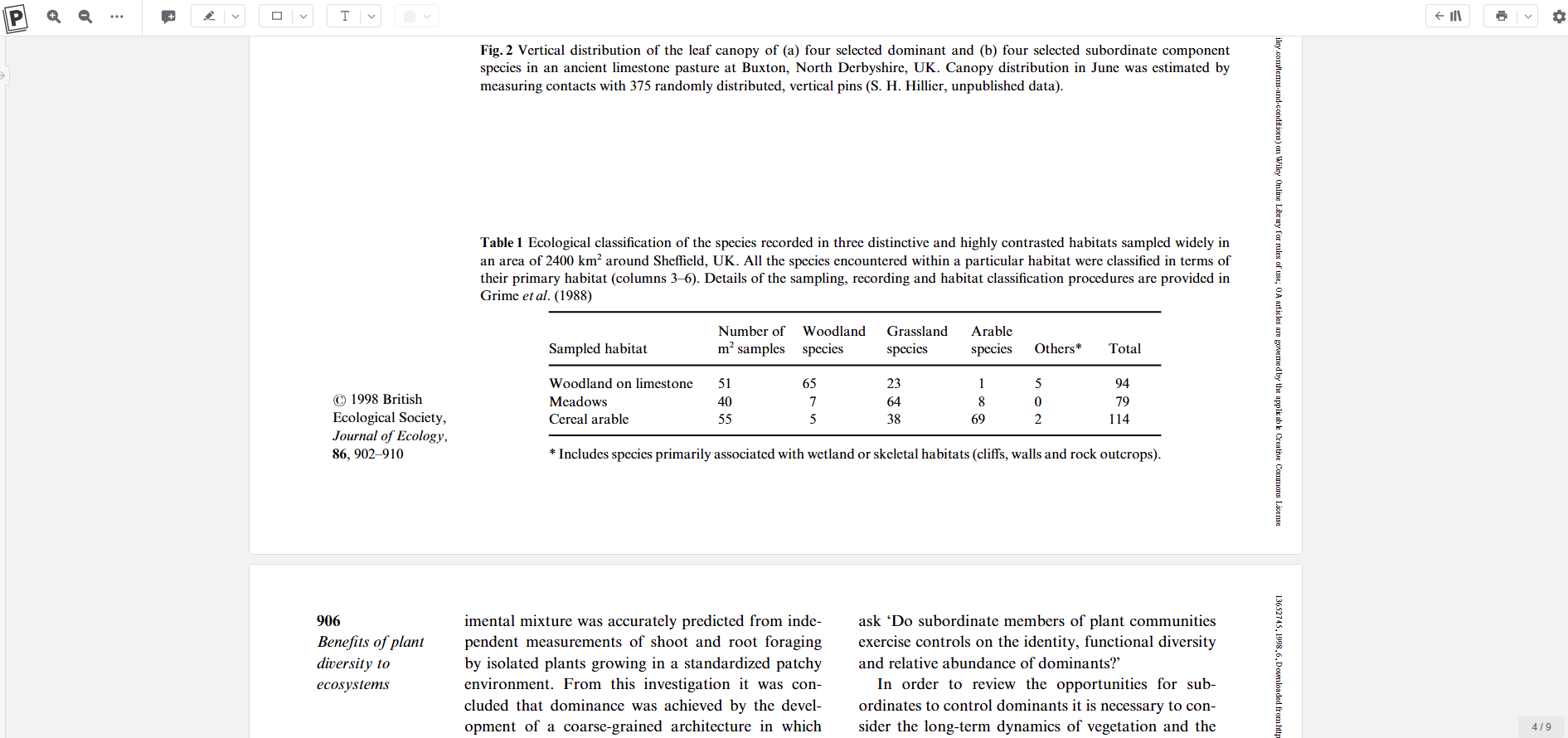
Then, I select the rectangular region, Ctrl + C and past in a Word doc and this is the result:
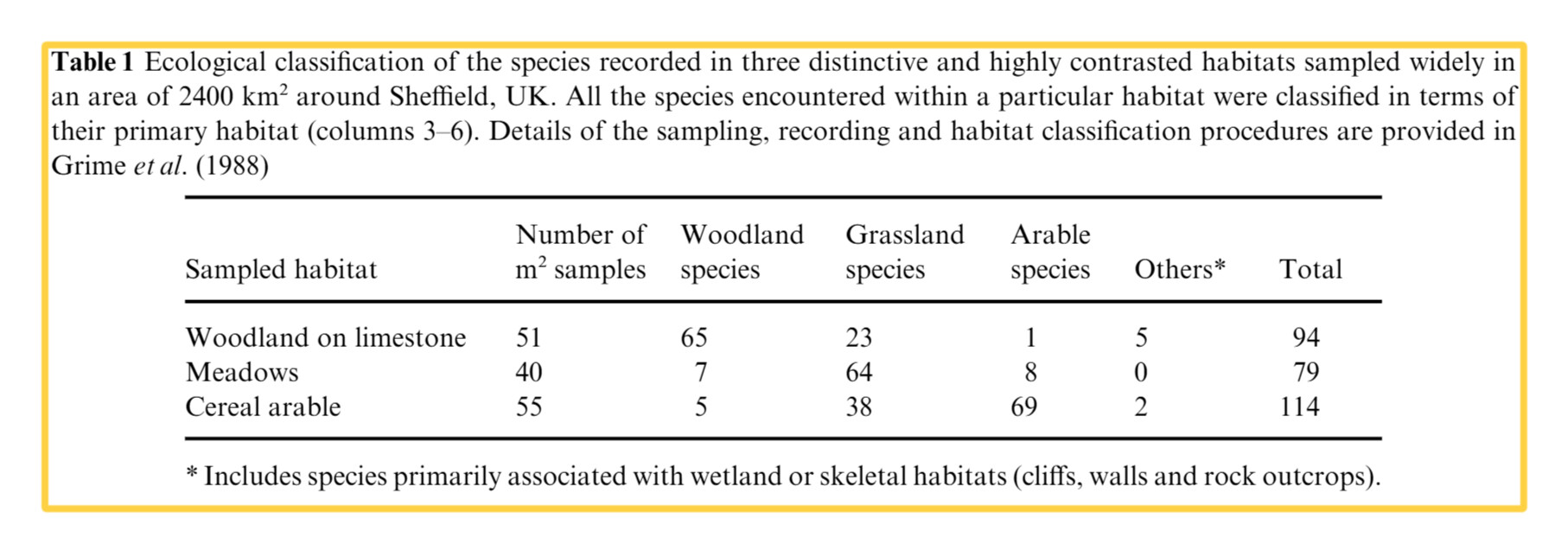
On Foxit and Adobe, there is not colorful boarder. On Paperpile, I have to select a higher area to copy and, after paste it, I have to crop the colored boarder to have only the selected table.
Let me know if I was clearer now and thanks so much for your attention, Suzanne.
Best regards.
Why do it this way? I would just use Command+Shift + 4 (mac) or WINDOW+Shift+S (windows) and select what I want without even using the rectangular region from paperpile. Wouldn’t that do what you want?
Thanks for clarifying, @furquim. I think there may be a misunderstanding about the function of the rectangular button in the PDF viewer toolbar. It is a draw / annotation tool: it’s designed to add a shape annotation (rectangle, oval, arrow, pencil) to mark up areas of a PDF, which is why the rectangular border in the default yellow appears when you click it. It’s not intended as a selection / copy tool.
For copying a table to paste into Word, the simplest approach would be to use Windows+Shift+S or press Print Screen (Snipping Tool) to select the area directly, then Ctrl+C. That should give you a clean result without any borders.