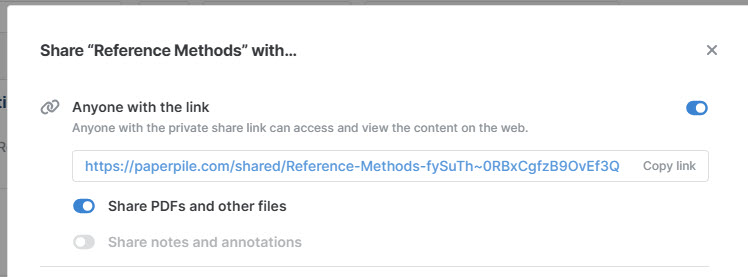
Our team uses a shared library. With opening a PDF with the “PDF” button, it is just in “View only” state. We can not do annotations, comments, adding sticky notes or mark something in colour. (both editor and admins)
It is also not possible to set “share note and annotations” in the library sharing settings.
Welcome to our forum, @Sandra_Fleischer and thank you for your question. To help us investigate, can you provide some more details?
From your screenshot, it’s not clear whether “Reference Methods” is a shared library or a shared folder. Your screenshot shows the top of the sharing dialog, where you can choose the settings for your share link for your shared folder or library. Can you share a screenshot of the entire dialog, and a screenshot of the folder/library in the sidebar? You can share them here or share it via the in app message you sent us.
When you open a PDF by clicking the PDF button, are you trying to open a PDF within the webpage that opens when you click on the blue share link in your screenshot, or are you opening a PDF in a shared library/folder in the web app? Can you share a screenshot of the View only message that you see?
Sharing screenshots will help us narrow down what the issue is. We appreciate you reporting this and we’ll investigate further.